Tag: kids and gaming

  • Gaming Without the Drama: A Parent’s Guide Part 2

    Gaming Without the Drama: A Parent’s Guide Part 2

    85% of kids ages 8-14 play online games regularly but only 16% of parents know who their kids are talking to while playing.

    • Voice chat isn’t just kids talking to friends. Adults, teens, and strangers often share the same channels as your child.
    • Most games default to “everyone” chat, not “friends only.” Your child may be broadcasting to strangers without realizing it.
    • Bullying, grooming, and inappropriate language happen in voice chat. Real-time conversation creates unique risks that text chat doesn’t.
    • Kids accidentally share personal information. In casual conversation, they may reveal their real name, age, school, or location.
    • Simple settings changes dramatically improve safety. Learning to mute, block, and report empowers your child to protect themselves.

    This week’s action: Check your kids game settings!


    Friend or Rando?

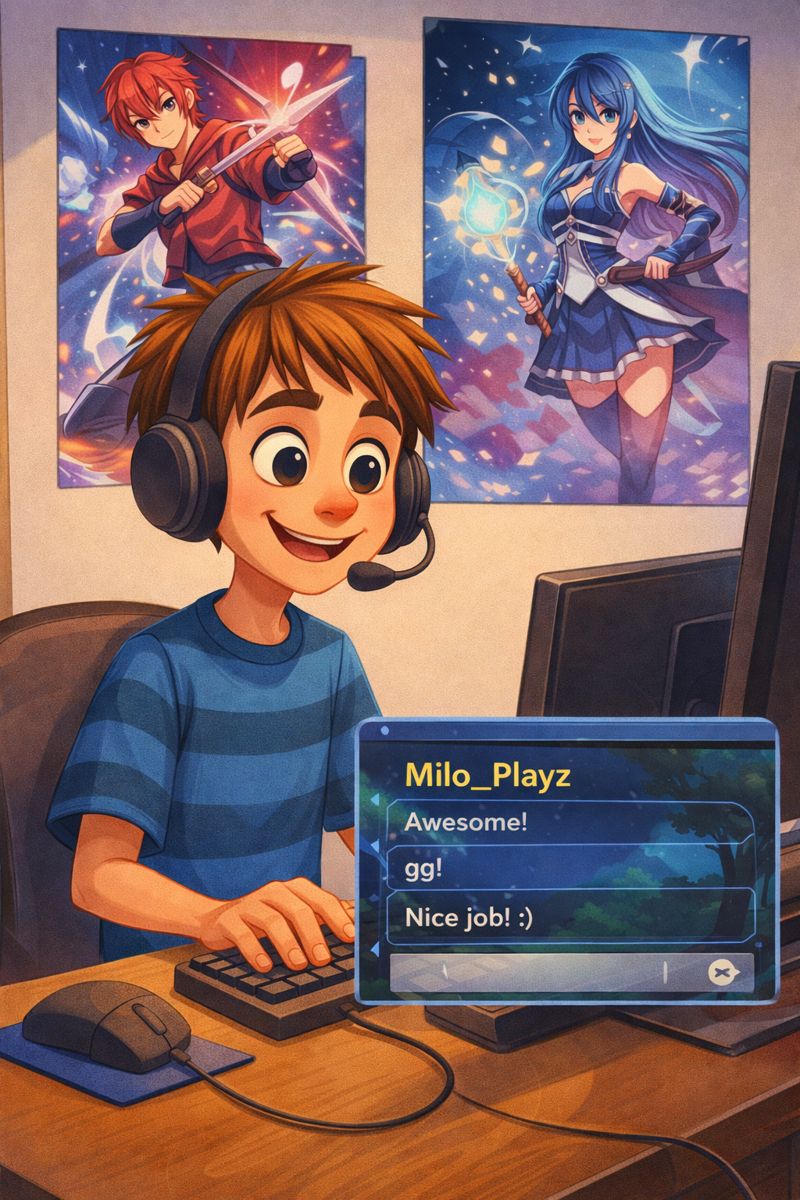
    Your 10-year-old is playing Fortnite, chatting cheerfully with their “squad.” You hear laughter and excited strategy talk. It sounds harmless, like some healthy social interaction.

    Unfortunately, what many parents don’t realize is that those voices your child is chatting with might NOT be other 10-year-olds.

    They could be teenagers, college students, or adults. Some are genuinely kind players helping younger gamers. Others? Not so much. The in-game content settings are often set by the developers, and you would be surprised to know that they believe mild violence is perfectly appropriate for kids aged 7 and under.

    Voice chat has become the new frontier of online safety, for some reason, more and more games are offering the ability for voice chats, likely because the typing chat feature is much slower for kids who cannot spell or who are just learning and are very slow. Kids now a days are quite socially savvy and speak at a higher level more often than not. And truth is, most parents are navigating it blindly.

    Here’s how it works in popular games:

    Understanding How Voice Chat Actually Works

    Unlike text chat that you can monitor by reading message history, voice chat happens in real-time and leaves no record. And it comes in many different varieties:

    Open vs. Friends-Only Chat
    Most games default to “open team chat,” meaning your child can hear and talk to anyone on their team — including complete strangers. “Friends only” chat restricts communication to approved contacts.

    Party Chat vs. Game Chat
    “Party chat” is typically a private group your child creates. “Game chat” or “team chat” includes whoever is randomly matched with them in that game session.

    Proximity Chat
    Some games use proximity chat where players can only hear others who are nearby in the game world. This means unknown players can “approach” your child to start conversations.

    No Age Verification
    Games rarely verify ages or separate children from adult players. Your 8-year-old could be matched with a 28-year-old, with no indication of the age difference.

    The Real Risks of Voice Chat

    To be fair: a lot of online gaming interactions are harmless. But the risks are real enough that every parent should understand them especially with less mature or at-risk youth:

    1. Bullying and Toxic Behavior
    The anonymity of online gaming brings out the worst in some players. Kids experience:

    • Aggressive trash talk and insults
    • Targeted harassment based on voice (young kids, girls)
    • Being blamed or screamed at for mistakes in-game
    • Exclusion and social manipulation

    2. Inappropriate Language and Content
    Many online players use profanity, sexual language, or discuss inappropriate topics. Young children are exposed to language and concepts they’re not ready for.

    3. Grooming Behavior
    Predatory individuals use gaming voice chat to:

    • Build trust through friendly gaming sessions
    • Ask personal questions gradually
    • Request off-platform communication (Discord, phone, etc.)
    • Manipulate children into sharing images or personal information

    4. Accidental Oversharing
    In casual conversation, kids reveal:

    • Real first and last names
    • Age and grade level
    • School name or sports team
    • City or neighborhood details
    • When they’re home alone
    • Family vacation plans

    5. Social Engineering and Scams
    Scammers use voice chat to seem trustworthy, then trick kids into giving away account information, clicking malicious links, or even “borrowing” parent credit cards for fake “game tournaments.”


    The goal isn’t to eliminate all online communication, it’s to teach smart, safe habits. Here’s how:

    Step 1: Start with Friends-Only Chat
    For younger children (8-10), begin with friends-only settings. They can only voice chat with players they’ve specifically approved with the assistance of their parents or trusted adult. This dramatically reduces risk while still allowing social play.

    Step 2: Establish the “No Personal Info” Rule
    Create a family mantra your child can remember:

    • No real names (use gaming usernames only)
    • No age or birthday information
    • No school or sports team names
    • No city or neighborhood information
    • No plans (vacations, being home alone, etc.)

    Practice with them: “What if someone asks how old you are?” Expected answer: “I don’t share personal info online.”

    Personally, I advocate for silence in chats, no talking, especially when asked a personal question. Experienced predators know how to build trust before going for the personal questions, I urge my family members to just play and practice silence.

    Step 3: Teach Mute, Block, and Report Skills
    Empower your child to protect themselves:

    • Mute: “If someone is being mean or making you uncomfortable, you can mute them instantly. It’s not rude — it’s protecting yourself.”
    • Block: “Blocking means they can never chat with you again. Use this for people who are mean, creepy, or breaking rules.”
    • Report: “Reporting helps the game company remove people who are harmful. You’re not tattling — you’re protecting other kids too.”

    Step 4: Practice the “Uncomfortable Feeling” Response
    Tell your child: “If anyone ever makes you feel uncomfortable, weird, or scared, even if you can’t explain why, mute them, leave the game, and tell me. You will NEVER be in trouble for telling me about something that made you uncomfortable.”

    Step 5: Do Regular “Sound Checks”
    While your child is gaming, listen to what’s happening in voice chat. You aren’t you’re staying informed. Sit nearby during gaming sessions, especially with younger kids, pretend to be preoccupied and listen.

    Platform-Specific Safety Settings

    Fortnite

    • Settings → Audio → Voice Chat → Set to “Friends” or “Off”
    • Enable “Require PIN to Add Friends” in parental controls
    • Report toxic players: Select player → Report → Choose reason

    Roblox

    • Settings → Privacy → Who can chat with me in app? → Friends
    • Account restrictions can block all chat for under-13 users
    • Report: Click three dots → Report Abuse

    Minecraft

    • Multiplayer servers vary greatly in safety
    • Stick to trusted “family-friendly” servers with active moderation
    • Realms allow you to control exactly who plays

    Among Us

    • Use “Private” games with friends only, not “Public”
    • Turn off voice chat in settings for younger children
    • Heavily moderate text chat when voice is off

    Red Flags That Require Immediate Action

    Talk to your child immediately if you hear or learn about:

    • Someone asking to move the conversation off the game platform (to Discord, phone, etc.)
    • Requests for photos, video calls, or real-world meetings
    • Excessive personal questions about your child or family
    • Adults trying to develop one-on-one friendships with your child
    • Offers of gifts, game items, or money
    • Requests to keep the relationship secret from parents
    • Sexual language, innuendos, or “jokes” of this nature

    If any of these occur, document what happened (screenshots if possible), block the user immediately, report to the game platform, and consider reporting to the National Center for Missing & Exploited Children’s CyberTipline if you suspect grooming or predatory behavior.


    Use this framework to talk with your child about voice chat safety:

    Start with Empowerment, Not Fear
    “Voice chat lets you work as a team and have fun with friends. I want to make sure you know how to use it safely so you can keep enjoying it.”

    Explain the Reality
    “When you’re in team chat, you might be talking to other kids your age — but you might also be talking to teenagers or adults. Most people are nice, but not everyone is. We need to be smart about it.”

    Set Clear Expectations
    “Our family rule is: voice chat is for discussing game strategy ONLY. Don’t share anything about yourself, your friends, your school, or our family. If someone asks personal questions, say ‘I don’t share that’ and mute them.”

    Create Open Communication
    “If anyone ever says or does something that makes you uncomfortable — even if you’re not sure why — come tell me. I promise you won’t be in trouble. I want you to feel safe gaming.”


    Elementary (Ages 8-11)

    Recommended approach: Friends-only voice chat or no voice chat at all. Young children are still learning social cues and may not recognize manipulation.

    What you can do: Approve every friend before they’re added. Listen to voice chat frequently. Have simple, clear rules: “Game talk only, no personal information, tell me if anyone is mean.”


    Middle School (Ages 12-14)

    Recommended approach: Can handle open team chat with good boundaries and supervision. More capable of recognizing inappropriate behavior.

    What you can do: Teach them to be the one who speaks up when someone crosses a line: “Hey, that’s not cool” or “Let’s keep it about the game.” Discuss specific scenarios: “What would you do if someone asked for your Snapchat?”

    High School (Ages 15-18)

    Recommended approach: Can handle open team chat with good boundaries and supervision. More capable of recognizing inappropriate behavior.

    What you can do: Teach them to be the one who speaks up when someone crosses a line: “Hey, that’s not cool” or “Let’s keep it about the game.” Discuss specific scenarios: “What would you do if someone asked for your Snapchat?”


    This Week’s Action: Check those Settings


    Get Your Free Resources

    We want to hear from you:

    • What’s your biggest gaming challenge right now?
    • Did the Gaming Contract work for your family? Tell us!
    • What game are your kids obsessed with that we should cover next?

    Share your story: Tag us on social media with #SmartTechKids

    Quick Poll: Reply in the comments with A, B, or C:

    • (A) Gaming is a constant battle in our house
    • (B) We’ve found a decent balance
    • (C) Gaming isn’t really an issue for us yet

    Your responses help us create content that addresses what you actually need!


    • Subscribe to our newsletter for weekly AI literacy tips and new activities
    • Connect with us on Facebook and Instagram

    Share This Resource

    Know other parents or educators who could benefit from this guide? Use the share buttons below to spread AI literacy in your community. Together, we’re raising a generation of thoughtful, purposeful technology users.

  • Gaming Without the Drama: A Parent’s Guide Part 1

    Gaming Without the Drama: A Parent’s Guide Part 1

    85% of kids ages 8-14 play online games regularly but only 16% of parents know who their kids are talking to while playing.

    • Gaming isn’t the enemy – It’s about understanding what your child is playing and who they’re playing with, not banning it entirely.
    • “Free” games can cost hundreds – Loot boxes and in-game purchases use the same psychological tricks as slot machines to keep kids spending.

    This week’s action: Download our Gaming Contract template and customize it together with your child (yes, TOGETHER that’s the key!)


    The Psychology Behind the Purchase

    Game developers have mastered something called “variable ratio reinforcement” this is the same psychological principle that makes slot machines addictive. Loot boxes (random virtual items you pay to unlock) trigger the brain’s reward center in the exact same way gambling does.

    Here’s how it works in popular games:

    Fortnite – Battle Pass system + V-Bucks for cosmetic items (skins, emotes, dances)

    • Average spent per player: $85 annually
    • Key pressure point: Limited-time exclusive items (“Buy now or miss out forever!”)

    Roblox – Robux currency for avatar items, game passes, and developer products

    • Average spent per player: $110 annually
    • Key pressure point: Peer comparison (everyone can see your avatar’s items)

    Minecraft – Minecoins for marketplace content, realms subscriptions

    • Average spent per player: $45 annually
    • Key pressure point: Multiplayer server access and expansion packs

    Elementary (Ages 6-11)

    What’s Happening: Kids this age are just entering the online gaming world. They’re excited, trusting, and don’t yet have the risk assessment skills to recognize danger. They take people at their word. If someone says “I’m 10,” they believe it.

    What You Can Do:

    • Keep all gaming in shared spaces (living room, not bedroom)
    • Friend lists must be real-life friends only
    • Voice chat stays OFF
    • You sit nearby periodically, listening and watching
    • Use parental controls to restrict spending and contact
    • Watch them play sometimes—ask questions, show interest
    • Teach: “If anyone asks personal questions, tell me immediately”

    Middle School (Ages 12-14)

    What’s Happening: Gaming is their primary social life now. They’re navigating online friendships, peer pressure to have the “cool” skins, and figuring out who they can trust. They want more independence but still need significant guidance.

    What You Can Do:

    • Voice chat allowed with real-life friends; online friends require meeting them (in-game) first
    • Spot-check friend lists and conversations periodically (with their knowledge that this is your policy)
    • Create a monthly gaming budget they manage
    • Involve them in setting screen time limits
    • Watch for signs of gaming interfering with sleep, school, or relationships
    • Have the “online predator” conversation clearly and directly (not scary, but honest)
    • Teach critical thinking about in-game purchases and manipulation tactics

    This Week’s Action: Create Your Family Gaming Contract

    Time Required: 20-30 minutes
    Best Time: Family meeting or Sunday evening

    Your Challenge:

    1. Download our Gaming Contract template (link below)
    2. Schedule a family meeting and bring snacks!
    3. Fill it out TOGETHER (their input matters)
    4. Both parent and child sign it
    5. Post it where you’ll both see it
    6. Set a reminder to review it in 2 weeks

    Make It Fun:

    • Let your child decorate the contract
    • Include a “reward” section for consistent self-regulation
    • Build in flexibility (“Special event weekends get +1 hour”)
    • Add their input on consequences (they’re stricter on themselves than you’d be!)

    When kids help create the rules, they’re invested in following them. This isn’t your gaming policy; it’s really your family’s gaming agreement. Huge difference.


    Get Your Free Resources

    We want to hear from you:

    • What’s your biggest gaming challenge right now?
    • Did the Gaming Contract work for your family? Tell us!
    • What game are your kids obsessed with that we should cover next?

    Share your story: Tag us on social media with #SmartTechKids

    Quick Poll: Reply in the comments with A, B, or C:

    • (A) Gaming is a constant battle in our house
    • (B) We’ve found a decent balance
    • (C) Gaming isn’t really an issue for us yet

    Your responses help us create content that addresses what you actually need!


    • Subscribe to our newsletter for weekly AI literacy tips and new activities
    • Connect with us on Facebook and Instagram

    Share This Resource

    Know other parents or educators who could benefit from this guide? Use the share buttons below to spread AI literacy in your community. Together, we’re raising a generation of thoughtful, purposeful technology users.