
Your cart is currently empty!
Author: smarttechkids_Peache
-
Gaming Without the Drama: A Parent’s Guide Part 1
85% of kids ages 8-14 play online games regularly but only 16% of parents know who their kids are talking to while playing.
📌 Quick Takeaways
- Gaming isn’t the enemy – It’s about understanding what your child is playing and who they’re playing with, not banning it entirely.
- “Free” games can cost hundreds – Loot boxes and in-game purchases use the same psychological tricks as slot machines to keep kids spending.
This week’s action: Download our Gaming Contract template and customize it together with your child (yes, TOGETHER that’s the key!)
Understanding In-Game Purchases: When “Free” Costs a Fortune
The Psychology Behind the Purchase
Game developers have mastered something called “variable ratio reinforcement” this is the same psychological principle that makes slot machines addictive. Loot boxes (random virtual items you pay to unlock) trigger the brain’s reward center in the exact same way gambling does.
Here’s how it works in popular games:
Fortnite – Battle Pass system + V-Bucks for cosmetic items (skins, emotes, dances)
- Average spent per player: $85 annually
- Key pressure point: Limited-time exclusive items (“Buy now or miss out forever!”)
Roblox – Robux currency for avatar items, game passes, and developer products
- Average spent per player: $110 annually
- Key pressure point: Peer comparison (everyone can see your avatar’s items)
Minecraft – Minecoins for marketplace content, realms subscriptions
- Average spent per player: $45 annually
- Key pressure point: Multiplayer server access and expansion packs
Age-Specific Guidance
Elementary (Ages 6-11)
What’s Happening: Kids this age are just entering the online gaming world. They’re excited, trusting, and don’t yet have the risk assessment skills to recognize danger. They take people at their word. If someone says “I’m 10,” they believe it.
What You Can Do:
- Keep all gaming in shared spaces (living room, not bedroom)
- Friend lists must be real-life friends only
- Voice chat stays OFF
- You sit nearby periodically, listening and watching
- Use parental controls to restrict spending and contact
- Watch them play sometimes—ask questions, show interest
- Teach: “If anyone asks personal questions, tell me immediately”
Middle School (Ages 12-14)
What’s Happening: Gaming is their primary social life now. They’re navigating online friendships, peer pressure to have the “cool” skins, and figuring out who they can trust. They want more independence but still need significant guidance.
What You Can Do:
- Voice chat allowed with real-life friends; online friends require meeting them (in-game) first
- Spot-check friend lists and conversations periodically (with their knowledge that this is your policy)
- Create a monthly gaming budget they manage
- Involve them in setting screen time limits
- Watch for signs of gaming interfering with sleep, school, or relationships
- Have the “online predator” conversation clearly and directly (not scary, but honest)
- Teach critical thinking about in-game purchases and manipulation tactics
This Week’s Action: Create Your Family Gaming Contract
Time Required: 20-30 minutes
Best Time: Family meeting or Sunday eveningYour Challenge:
- Download our Gaming Contract template (link below)
- Schedule a family meeting and bring snacks!
- Fill it out TOGETHER (their input matters)
- Both parent and child sign it
- Post it where you’ll both see it
- Set a reminder to review it in 2 weeks
Make It Fun:
- Let your child decorate the contract
- Include a “reward” section for consistent self-regulation
- Build in flexibility (“Special event weekends get +1 hour”)
- Add their input on consequences (they’re stricter on themselves than you’d be!)
When kids help create the rules, they’re invested in following them. This isn’t your gaming policy; it’s really your family’s gaming agreement. Huge difference.
Get Your Free Resources
Join the Conversation
We want to hear from you:
- What’s your biggest gaming challenge right now?
- Did the Gaming Contract work for your family? Tell us!
- What game are your kids obsessed with that we should cover next?
Share your story: Tag us on social media with #SmartTechKids
Quick Poll: Reply in the comments with A, B, or C:
- (A) Gaming is a constant battle in our house
- (B) We’ve found a decent balance
- (C) Gaming isn’t really an issue for us yet
Your responses help us create content that addresses what you actually need!
Join the SmartTechKids Community:
- Subscribe to our newsletter for weekly AI literacy tips and new activities
- Connect with us on Facebook and Instagram
Share This Resource
Know other parents or educators who could benefit from this guide? Use the share buttons below to spread AI literacy in your community. Together, we’re raising a generation of thoughtful, purposeful technology users.
-
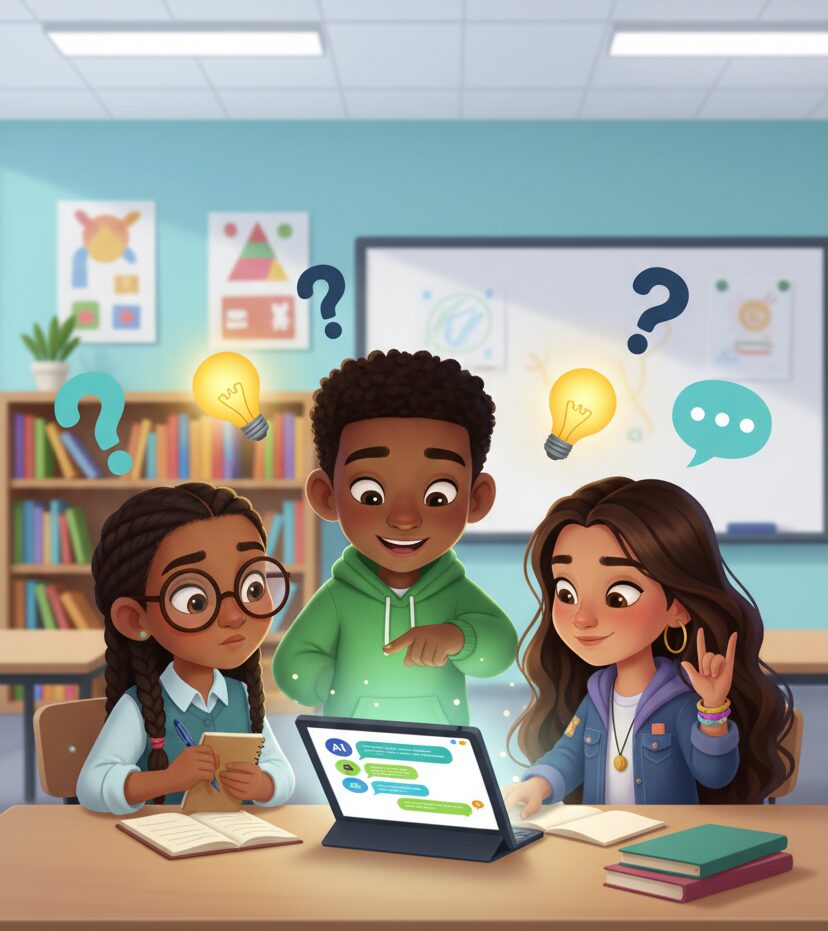
Prompt Power: Teaching Kids to Talk to AI with Purpose
A practical guide for parents and educators navigating AI literacy with kids ages 8-15
Last week, I watched my 10-year-old niece ask an AI chatbot: “Give me ideas.”
The AI, predictably, responded: “I’d be happy to help! What kind of ideas are you looking for?”
She stared at the screen, frustrated. “It doesn’t understand me,” she said.
The AI was waiting for her to understand what she wanted first.
This small moment captures one of the most important skills we need to learn in the age of Artificial Intelligence (AI): prompt engineering, the art and science of communicating effectively with AI systems. And while it might sound technical, it’s actually teaching kids how to think clearly, ask better questions, and become more intentional technology users.
If you’re a parent, teacher, homeschool educator, or afterschool coordinator working with kids ages 8-15, this guide will give you everything you need to start teaching prompt literacy today—no computer science degree required.
What Is a Prompt?
Let’s start simple.
A prompt is the input—the instruction, question, or request—that you give to an AI system. It could be:
- A question you ask a voice assistant (“Alexa, what’s the weather?”)
- Instructions you give a chatbot (“Write a poem about robots”)
- A search query typed into an AI image generator (“A watercolor painting of a sunset over mountains”)
Think of a prompt as a conversation starter between a human and a machine. The clearer and more specific your prompt, the better the AI can respond.
Prompts are particularly interesting for kids because they’re low-stakes experiments in communication. Unlike talking to a person (where miscommunication can feel embarrassing), kids can try, fail, refine, and try again with AI. Kids can learn how to build their prompting skills through non-judgmental iteration.
It’s not long before kids realize: I have control over this interaction. If I don’t like the result, I can change my approach.
Here’s Why Kids Should Learn to Prompt Well
You might be thinking: “Isn’t this just teaching kids to use ChatGPT? Why does this deserve classroom time?”
Fair question but in 2025 and beyond, prompt literacy matters and it goes beyond just using AI tools.
1. It Builds Critical Thinking Skills
When kids craft prompts, they must:
- Define what they actually want (goal clarity)
- Break complex problems into manageable questions (decomposition)
- Anticipate what information the AI needs (perspective-taking, research)
- Evaluate whether the response meets their needs (assessment)
2. It Prepares Them for an AI-Integrated Future
Like it or not, AI tools are here. According to Pew Research, 26% of teens report having used AI tools for schoolwork by mid-2024, that’s up from 13% in 2023 and that number will only grow.
The question isn’t whether kids will use AI, rather it’s whether they’ll use it thoughtfully, critically, and ethically. Teaching prompt engineering gives them the foundation to be AI-informed citizens, not just passive consumers.
3. It Develops Communication Precision
Good prompting requires clarity. Kids learn to:
- Avoid ambiguous language
- Provide necessary context
- Specify what format they need
- Explain their reasoning
These are the same skills that make someone an effective writer, speaker, and collaborator.
4. It Empowers Creative Exploration
AI can be an imagination amplifier for kids, but only if they know how to direct it. With good prompting skills, students can:
- Brainstorm story ideas and develop characters
- Explore “what if” scenarios in science or history
- Create learning aids customized to their needs
- Practice languages with conversational AI
The key is teaching them to use AI as a creative partner, not a shortcut that bypasses their own thinking.
Best Practices for Good Prompting
As I have been using and researching AI for over 3 years, I’ve found that great prompts when introducing the topic for kids should usually follow three principles: Clarity, Kindness, and Creativity.
Clarity: Be Specific About What You Want
Vague prompts get vague results. Specific prompts get useful results.
Teach kids to include:
- Context: “I’m a 6th grader studying Ancient Egypt…”
- Constraints: “in 150 words or less” / “using simple vocabulary” / “with three examples”
- Format: “as a bullet list” / “like a story” / “in question-and-answer format”
Activity idea: Have kids compare these two prompts:
- ❌ “Tell me about planets”
- ✅ “Explain the difference between rocky planets and gas giants in our solar system, using examples a 10-year-old would understand”
Ask: Which one gives the AI enough information to be helpful?
Kindness: Use Respectful Language
Wait! Does it matter if kids say “please” to an AI?
Yes and no. The AI doesn’t have feelings. But kids are building habits.
Teaching children to use respectful, courteous language with AI reinforces:
- Positive communication patterns they’ll use with real people
- The understanding that technology is created by humans who do have feelings
- Digital citizenship and thoughtful tech use
Plus, framing prompts politely often leads to better outputs anyway. “Please explain…” tends to generate more helpful, conversational responses than “Tell me…”
Creativity: Experiment and Iterate
The best prompters aren’t people who get it right the first time—they’re people who try, evaluate, and refine.
Teach kids the “prompt iteration loop”:
- Start with a basic prompt
- Review the response
- Ask: What’s missing? What could be better?
- Refine the prompt and try again
- Repeat until satisfied
This iterative process mirrors design thinking and scientific method—both crucial skills for young learners.
If you’ve read this far, you’re clearly committed to helping kids develop thoughtful relationships with technology. Here’s how to start:
This Week:
- Try one of the resource activity sheets with your students or children
- Notice what surprises them about how AI responds to different prompts
- Have a conversation about when AI is helpful vs. when human thinking is better
This Month:
- Invite kids to teach you something they discovered about prompting
This Year:
- Build prompt literacy into your curriculum as a core communication skill
- Connect with other educators doing this work (join the SmartTechKids community!)
- Help kids create a portfolio of their best prompts and projects
The Bigger Why
Technology moves fast. The specific AI tools we’re using today might be obsolete in five years.
But the skills we’re teaching, clarity in communication, critical evaluation, creative experimentation, ethical consideration are timeless.
When we teach kids to be thoughtful prompt engineers, we’re preparing them for an AI-powered future and we’re teaching them to be intentional, critical, creative humans who use technology as a tool for learning and growth, not a replacement for thinking.
And that’s a skill set that will serve them no matter what the future holds.
Get Your Free Resources
Download both guides now and start building AI literacy this week:
✅ Download Prompt Templates by Age Group – Fill-in-the-blank templates for ages 8-15
✅ Download Activity Guides for Classroom & Home – Five ready-to-use lessons with complete instructions
Take the Next Step
Join the SmartTechKids Community:
- Subscribe to our newsletter for weekly AI literacy tips and new activities
- Connect with us on Facebook and Instagram
Share This Resource
Know other parents or educators who could benefit from this guide? Use the share buttons below to spread AI literacy in your community. Together, we’re raising a generation of thoughtful, purposeful technology users.
What prompt will your students create today? Drop a comment below and share your experience teaching AI literacy!
-
Are Chatbots Reliable
As parents, we’re navigating uncharted territory. Our kids are growing up with AI chatbots as readily available as Google once was for us. These tools aren’t encyclopedias, and they shouldn’t be treated as reliable sources of truth.
I’m not anti-technology. Far from it. But after watching my own friends and family interact with AI chatbots for homework help and “quick answers,” I’ve learned we need to have some real conversations about what these tools actually are, and what they aren’t.
AI Gets Things Wrong Regularly
Here’s what most parents don’t realize: ChatGPT and similar AI tools can confidently deliver incorrect information.
They “hallucinate,” a technical term meaning they literally make things up while sounding completely authoritative.
Real examples I’ve encountered:
- Wrong historical dates presented as facts
- Invented book titles and authors for article references
- Incorrect math explanations that seemed logical but used flawed reasoning
- Outdated medical information some parents found when researching a health topic
The AI delivered all of this with complete confidence. No hesitation. No “I’m not sure about this.”
What Every Parent Needs to Understand
- Chatbots Don’t “Know” Anything – Unlike a teacher or a textbook, AI doesn’t actually understand concepts. It predicts what words should come next based on patterns. Think of it like an incredibly sophisticated autocomplete, not a knowledgeable expert.
- They Reflect Biases in Their Training Data – AI learns from internet content, which means it can perpetuate stereotypes, cultural biases, and misinformation that exists online. Your 10-year-old asking about careers might get subtly biased suggestions based on gender or ethnicity.
- There’s No Accountability – When a textbook is wrong, there’s a publisher and editorial process to hold accountable. When AI is wrong, there’s just an algorithm making statistical guesses with no one to answer for the errors. Except you… if you use it in your own work.
Safer ways to use AI
✓ Treat AI as a brainstorming buddy, not an answer key. It’s great for generating ideas or rough drafts but terrible as a sole information source.
✓ Teach the “verify with two reliable sources” rule. If an AI tells your child something, they need to confirm it with actual credible sources (academic websites, verified databases, trusted publications).
✓ Have the “confidence doesn’t equal correctness” conversation. Help kids understand that just because something sounds authoritative doesn’t make it true.
✓ Use it as a teaching moment. When you catch an AI error together, celebrate it! You’re building critical thinking skills that will serve them for life.
AI chatbots are powerful tools that aren’t going anywhere, and that’s okay.
Our job isn’t to ban them but to teach our kids to be smarter than the algorithms. In a world where AI can write essays and answer questions in seconds, the most valuable skill we can give our children is the ability to think critically, verify information, and understand the limitations of their digital tools.
The future doesn’t belong to kids who can get quick answers from AI. It belongs to kids who know how to question those answers.
-
Hello world!
Welcome to WordPress. This is your first post. Edit or delete it, then start writing! this is a test of the